- proto
- vless
- sec
- reality
- port
- 443
- rtt
- 38 ms
A proxy client for the server you already run.
Paste a subscription link, drop in a key, or type your server’s fields by hand. DubiDubi connects your iPhone to it — and to nothing else.
Three ways in
Bring the server. We bring the client.
- 01
Subscription link
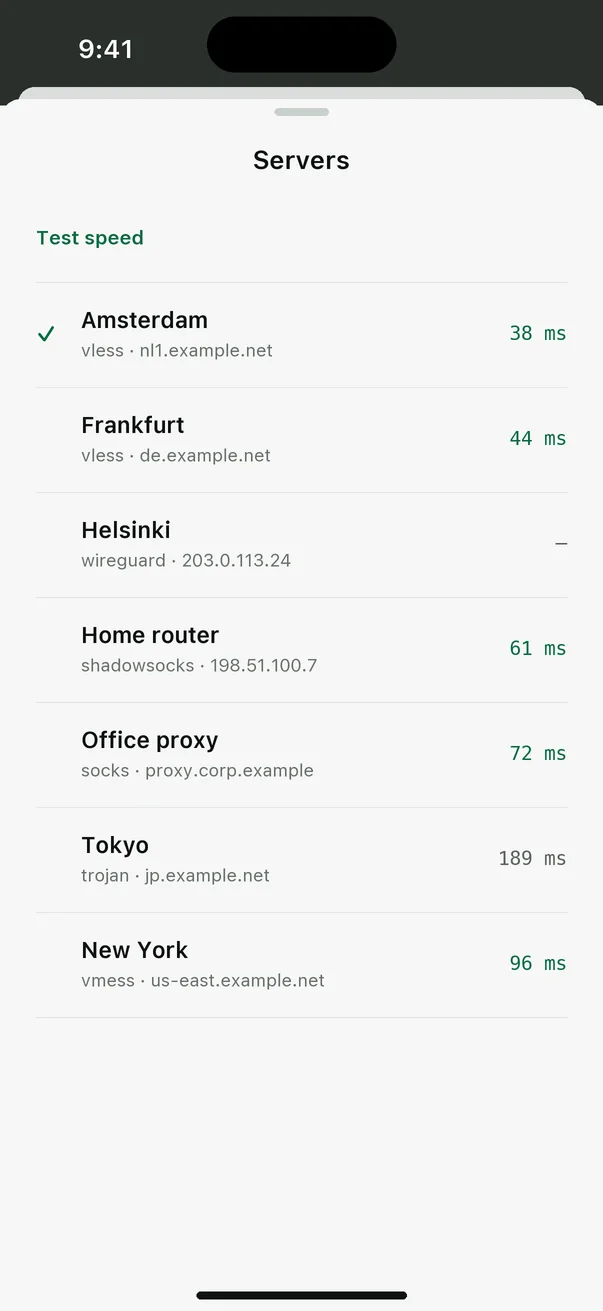
From 3x-ui, Marzban, Remnawave or any panel. The server list refreshes on its own.
https://panel.example.net/sub/7f3a… - 02
Single key
One line from your panel or your friend. Parsed on the spot, nothing to download.
vless://6c24…@proxy.example.net:443?security=reality… - 03
Own server fields
No link at all? Pick the protocol and fill in address, port and credentials.
VLESS · REALITY · proxy.example.net · 443
Protocols
Every major protocol, one core.
All connections run on the open-source Xray core inside an iOS Network Extension.
| Protocol | Security | Transport | Add by |
|---|---|---|---|
| VLESS | TLS · Reality | TCP · WS · gRPC | link, key, fields |
| VMess | TLS | TCP · WS · gRPC | link, key, fields |
| Trojan | TLS · Reality | TCP · WS · gRPC | link, key, fields |
| Shadowsocks | AEAD · 2022 | TCP | link, key, fields |
| Hysteria 2 | TLS | UDP | link, key |
| WireGuard | Noise | UDP | fields, JSON |
| SOCKS5 · HTTP | optional auth | TCP | fields |
The app
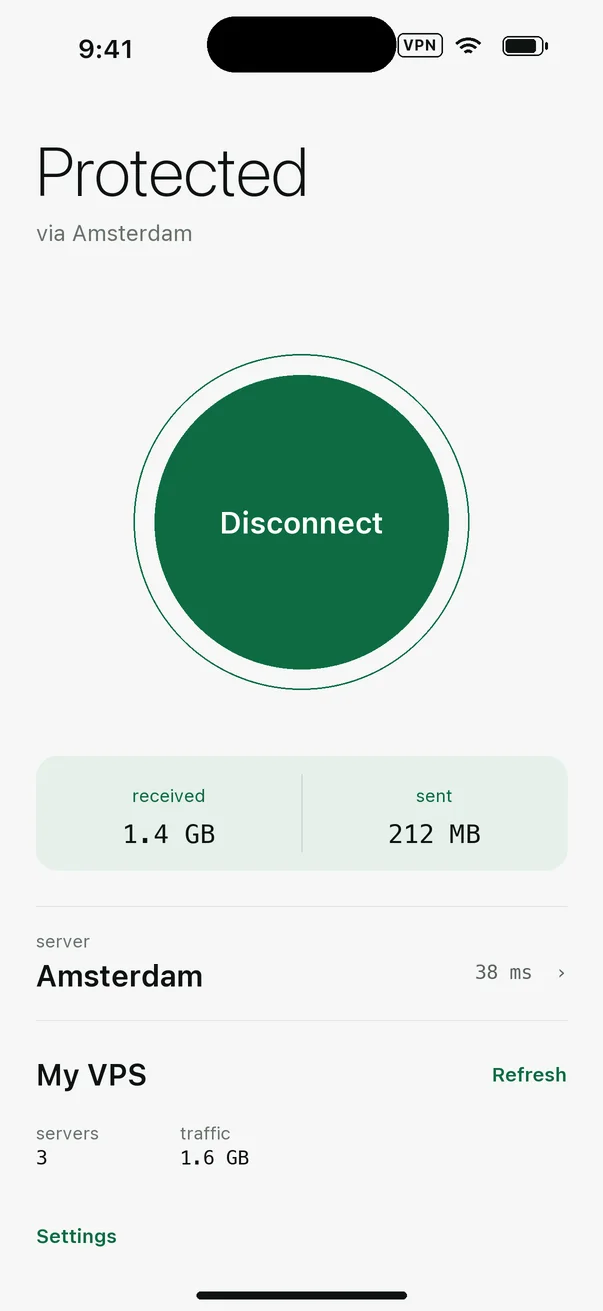
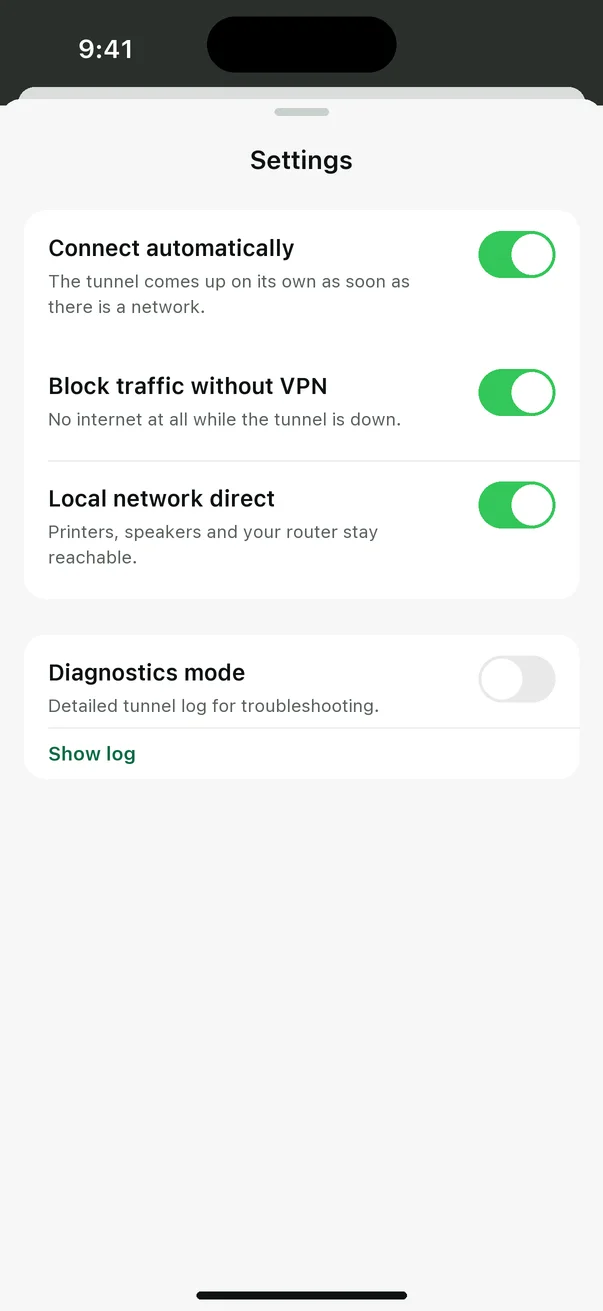
One screen to answer one question: am I protected?
Download on the App Store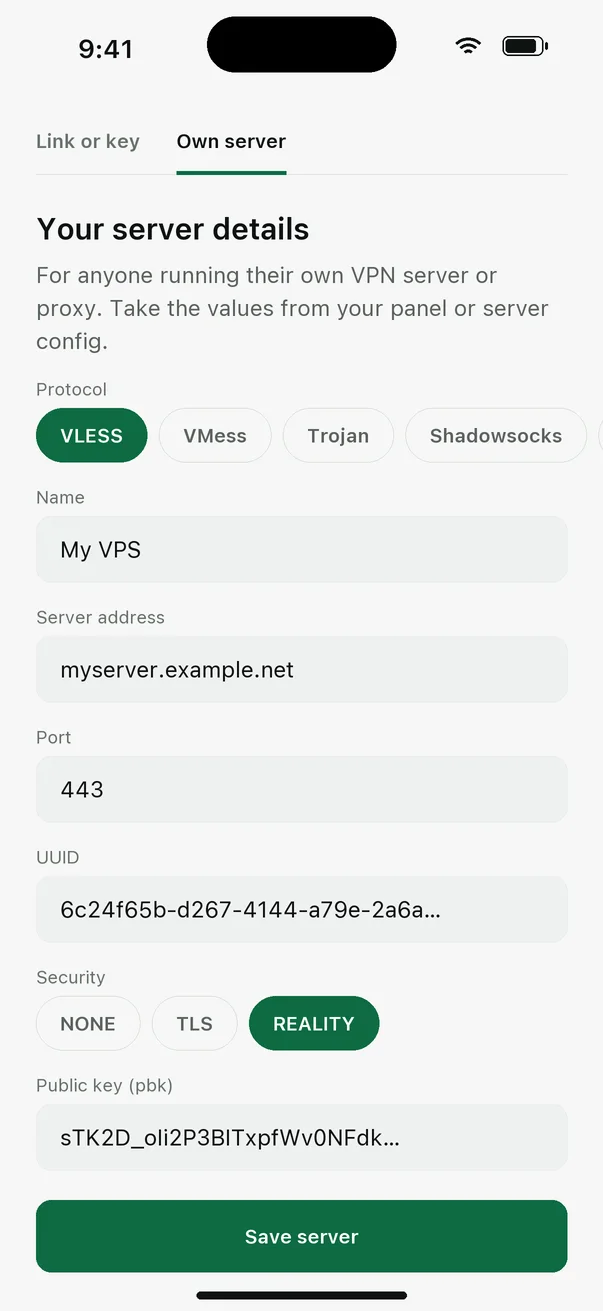
What we don’t do
The shortest privacy policy is the one with nothing to hide.
- No servers of ours
- Your traffic goes to the server you added. We never see it.
- No accounts
- Nothing to sign up for. Nothing to leak.
- No analytics, no ads
- The app has no trackers or third-party SDKs.
- Settings stay on device
- Keys and passwords live in the app and the iOS VPN configuration.
Documentation